Dine-in and takeaway orders
Create a table-linked dine-in order or a takeaway order without forcing both into the same service flow.
SOFTWARE FEATURES
Use menu search, quantities, modifiers, notes and dining modes; move from order to bill in a connected flow.
WHAT THIS INCLUDES
Use menu search, quantities, modifiers, notes and dining modes; move from order to bill in a connected flow.
Create a table-linked dine-in order or a takeaway order without forcing both into the same service flow.
Locate menu items by category or search so employees spend less time navigating during rush hours.
Record preparation choices and guest instructions with each ordered item so the kitchen has the right context.
Capture whether payment was recorded as cash, UPI or card for reporting and end-of-day reconciliation.
Generate itemized documents configured for relevant Indian tax fields, subject to the restaurant’s tax settings.
Review a customer invoice before printing and retrieve previous bills when a guest needs a duplicate.
IN PRACTICE
Receipt printing and payment-handling options should be confirmed with your deployment setup.
OPERATIONAL DETAIL
The POS is organized around service speed and accurate handoff—not scattered data entry screens.
Dine-in, table-linked, takeaway and walk-in orders with item notes and quantity changes.
Dedicated print-preview formats for bills, KOTs and historical bills.
Record applicable payment methods and review detailed sales; payment provider integrations need configuration and availability verification.
SOFTWARE INTERFACE
Screenshot captured from the working interactive demo. Sample data is shown.
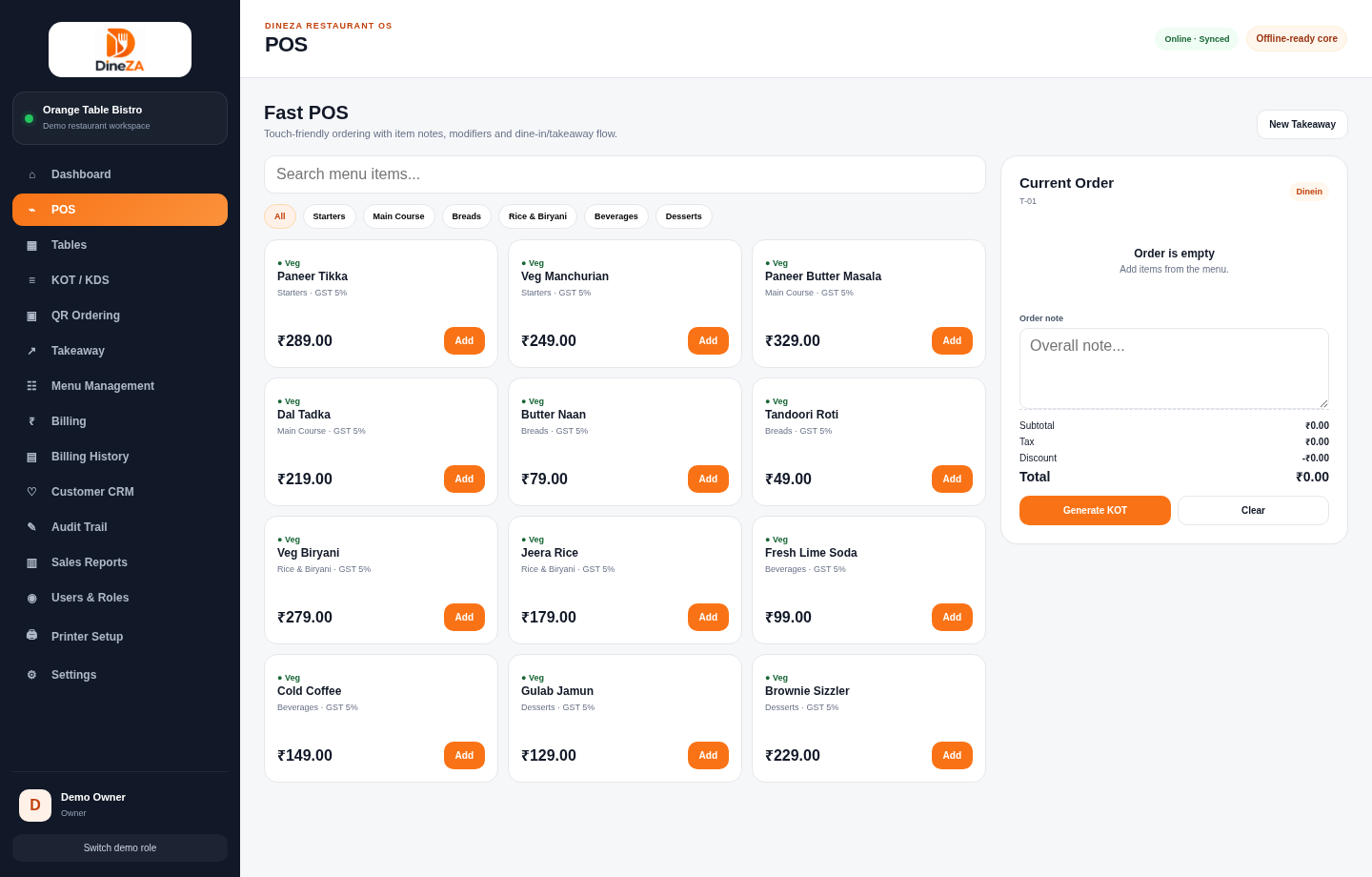
Navigate the demo to explore the available tools and screen relationships. No account or software installation is needed.
Launch interactive demo ↗A clearer next step
Explore the product with our team and discuss how it fits your operation.