Kitchen order tickets
Issue a distinct ticket with its order, table and preparation information to the appropriate kitchen device.

SOFTWARE FEATURES
Send KOTs with table/order identifiers, notes and additions while kitchen staff track preparation stages.

WHAT THIS INCLUDES
Send KOTs with table/order identifiers, notes and additions while kitchen staff track preparation stages.
Issue a distinct ticket with its order, table and preparation information to the appropriate kitchen device.
Keep allergy or preparation instructions visible to kitchen staff without modifying the invoice line by mistake.
Progress kitchen tickets through defined stages to coordinate preparation and service handoff.
Show elapsed order time and the relative priority of pending tickets so staff can identify delays.
Generate an additional KOT for new items while preserving the earlier kitchen instructions.
Route kitchen tickets to configured compatible printers distinct from customer receipt printing.

IN PRACTICE
Kitchen workflow features can be explored through the interactive demo.
OPERATIONAL DETAIL
A customer may add an item after the first KOT. The kitchen should see the addition without confusing it with previously prepared items.
Issue a KOT with order details, kitchen instructions, reprinting and incremental additions.
Organize orders as New, Preparing, Ready and Completed with visibility into service timings.
Keep kitchen updates separate from cashier billing and management reporting.
SOFTWARE INTERFACE
Screenshot captured from the working interactive demo. Sample data is shown.
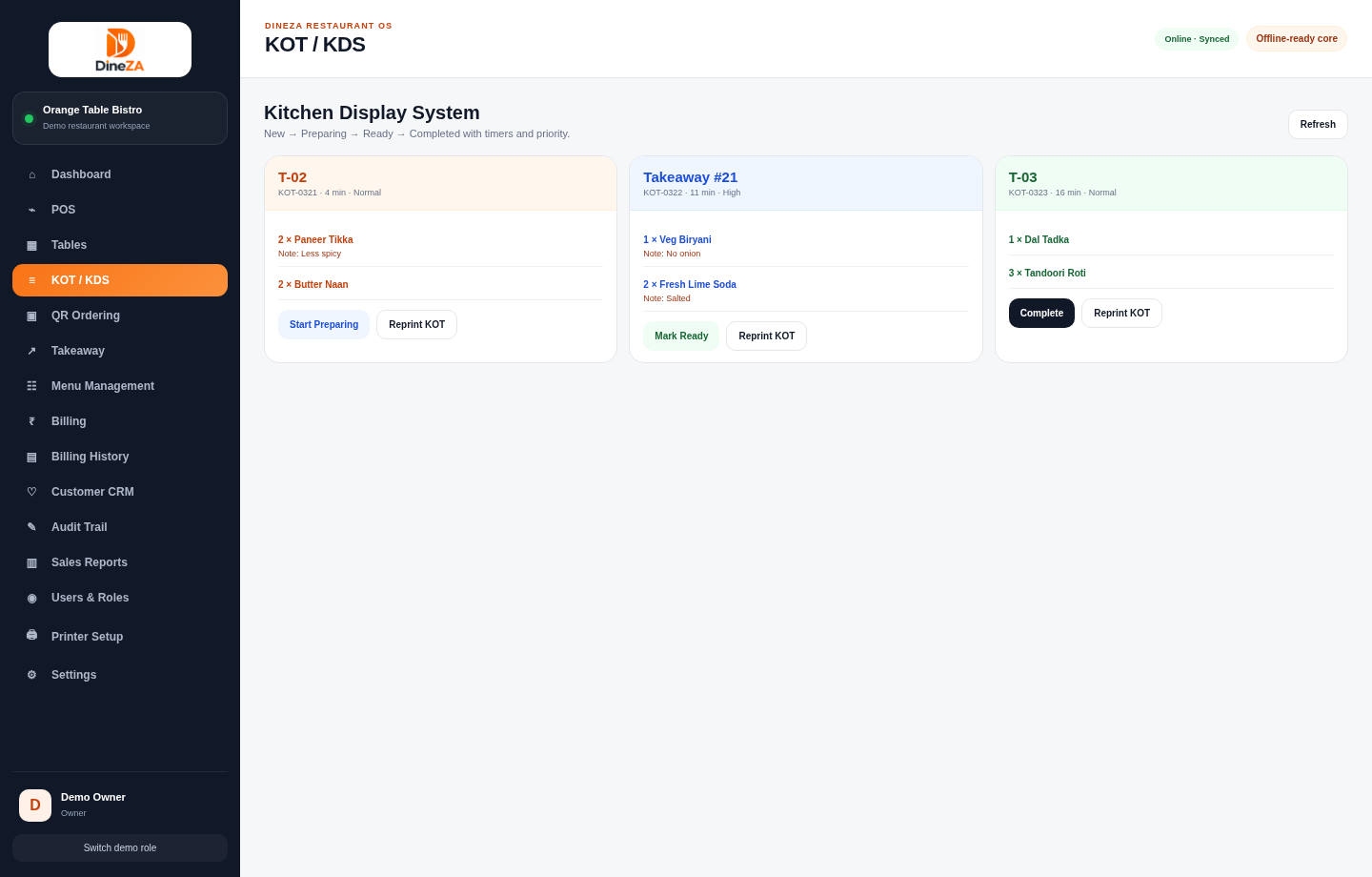
Navigate the demo to explore the available tools and screen relationships. No account or software installation is needed.
Launch interactive demo ↗A clearer next step
Explore the product with our team and discuss how it fits your operation.